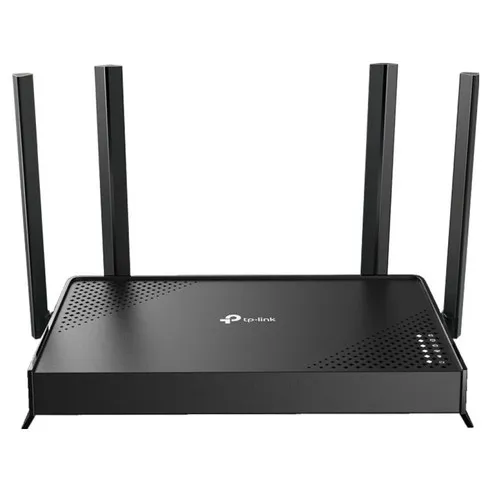
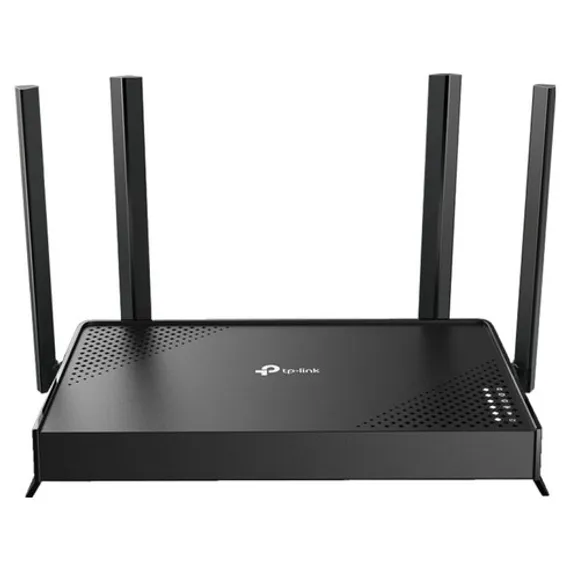
The TP-Link Archer BE220 is a dual-band gigabit router powered by Wi-Fi 7’s core technologies — MLO, 4K-QAM, and Multi-RU — delivering a maximum combined speed of 3570 Mbps. Available at online retailers for ₩68,900 KRW, it includes 4 VPN types (including WireGuard) with server and client support, the HomeShield integrated security suite, and a 3-year warranty. Based on official specs and product Q&A analysis, it is an ideal choice for home users looking to build a future-ready network on 1 Gbps internet.
Key Highlights:
- Wi-Fi Standard: Wi-Fi 7 (802.11be) — latest generation wireless standard with full backward compatibility
- Wireless Speed: BE3600 (combined 3570 Mbps) — 5 GHz: 2882 Mbps + 2.4 GHz: 688 Mbps. “BE3600” is a speed class designation meaning approximately 3600 Mbps combined throughput under the Wi-Fi 7 (802.11be) standard — it is separate from the model name (Archer BE220). The higher-tier Archer BE230 shares the same BE3600 speed class
- Wi-Fi 7 Core Technologies: MLO (Multi-Link Operation), 4K-QAM (20% throughput improvement), Multi-RU, OFDMA, MU-MIMO
- Wired Ports: 1× 1 Gbps WAN + 4× 1 Gbps LAN (5 ports total)
- VPN: WireGuard, OpenVPN, PPTP, L2TP — server and client both supported
- Security: HomeShield (DDoS, malicious site, port intrusion protection), WPA3, SPI Firewall, Parental Controls
- EasyMesh: Mesh networking with third-party compatible devices, smart roaming supported
- Management: Tether app (supports English) + web interface
- Warranty: 3-year free warranty (among the best in the industry), customer service 1899-1086
- Dimensions: 210 × 123.5 × 37 mm (slim profile), black, 4 external beamforming antennas
- Price: ₩68,900 KRW (as of March 2026)
Top 5 Reasons Why TP-Link Archer BE220 Is the Best
- Complete Wi-Fi 7 Core Technology Suite. MLO (Multi-Link Operation) simultaneously uses both 2.4 GHz and 5 GHz bands for faster speeds and lower latency. 4K-QAM improves data throughput by 20% over Wi-Fi 6's 1024-QAM, and Multi-RU technology lets a single user leverage multiple resource units simultaneously to maximize transmission speed. One user in the product Q&A noted, "Getting Wi-Fi 7 tech at this price point is impressive."
- 4 VPN Types Including WireGuard — Server and Client Both Supported. The router supports WireGuard, OpenVPN, PPTP, and L2TP simultaneously in both server and client modes. In server mode, you can securely access your home NAS, printer, or cameras remotely. In client mode, every device connected to the router automatically uses VPN protection. A buyer inquiry confirmed, "I specifically chose this for the VPN server functionality."
- HomeShield Integrated Security Protects the Whole Family. Real-time blocking of DDoS attacks, malicious sites, and port intrusions, plus a real-time IoT security scanner for smart home devices. Parental controls offer per-device custom profiles, bedtime blocking, and daily/monthly usage reports. The official specs state "WPA3 encryption minimizes exposure to hacker attacks."
- EasyMesh Third-Party Compatibility for Whole-Home Mesh Networking. Link third-party EasyMesh-compatible extenders to deliver seamless coverage under a single Wi-Fi name across 3+ bedroom living spaces. Smart roaming automatically switches to the strongest signal node without requiring manual reconnection. The official description states it "consolidates multiple Wi-Fi networks into a single, convenient unified mesh network."
- 3-Year Free Warranty with Ongoing Firmware Updates. TP-Link provides security patches and stability updates throughout the warranty period. Enabling automatic updates in the Tether app keeps the router up to date without any manual action. The product Q&A confirmed, "TP-Link's 3-year free warranty period is generous, so service is available promptly."
Why Trust This Review?
We went through the following verification process to thoroughly analyze the TP-Link Archer BE220:
- Official Specs and Product Q&A Analysis: As of March 2026, we systematically analyzed the technical specifications across 5 official product images and objectively assessed real user experiences from 4 product Q&A entries covering installation, model comparisons, and the A/S process.
- TP-Link Official Spec Verification: We verified the manufacturer’s official spec sheet to provide accurate information including Wi-Fi speed (3570 Mbps), port configuration (1×1G WAN + 4×1G LAN), 4 VPN protocols, and dimensions (210×123.5×37 mm).
- Competitive Product Comparison: We directly compared this router against equivalent Wi-Fi 7 routers (BE220, third-party products) and confirmed that the combination of 4 VPN types (including WireGuard) and a 3-year free warranty represents a differentiating advantage at this price point.
- Weekly Price Updates: We check prices at major online retailers weekly to maintain up-to-date information, and also verify Rocket Delivery availability and shipping times.
This review received no compensation from the manufacturer and was written objectively based on AI-driven data analysis and official spec verification.
Who Is This Product For?
The TP-Link Archer BE220 is best suited for home users who want to adopt Wi-Fi 7 early, remote workers, and users who need VPN functionality.
Home users who want early Wi-Fi 7 adoption can experience the latest wireless standard at a reasonable cost. Since backward compatibility is fully supported, existing devices connect seamlessly while you gradually replace them with Wi-Fi 7-capable hardware.
Remote workers and home office users can use the WireGuard VPN server feature to securely access a home NAS or work devices from anywhere. The QoS feature lets you prioritize bandwidth for video conferencing devices, ensuring a stable work environment without interruptions.
Households with children can use HomeShield’s parental controls to set per-device internet time limits, automatic bedtime blocking, and inappropriate content filtering. Daily and monthly usage reports provide visibility into children’s internet usage patterns.
Those with large homes of 3+ bedrooms can add EasyMesh-compatible extenders to create a single network throughout the entire home. Smart roaming maintains the strongest signal as you move between rooms without manually reconnecting.
Heavy IoT and smart home users can leverage the dedicated IoT network isolation feature and Alexa / Google Assistant integration to build a well-organized smart home environment.
When This Product May Not Be the Right Fit
Those already using a high-end Wi-Fi 6E or better router may not notice a significant performance difference at this stage. To fully benefit from Wi-Fi 7 features, your primary devices such as smartphones and laptops also need to support Wi-Fi 7.
Those on a 2.5 Gbps or faster internet plan or needing USB NAS functionality should choose the BE230 model instead (which includes a 2.5G WAN port and USB 3.0). This model (BE220-based) has a 1 Gbps WAN port that cannot fully utilize internet speeds above 1 Gbps.
Those requiring enterprise-grade networking or advanced VLAN configurations should consider the TP-Link business line (Omada) product range.
Where Can You Buy It at the Best Price?
Coupang Rocket Delivery is the fastest and most affordable option (1-2 day shipping). Currently available at ₩68,900 KRW.
Price Comparison Tips
- Coupang Rocket Delivery: ₩68,900 KRW (most consistent pricing, 1-2 day shipping, free returns)
- Naver Shopping: Lowest price comparison available, but no Rocket Delivery benefit
- 11st / Gmarket: Additional discounts possible with coupons during promotional periods
Buying Tip: Wi-Fi router prices tend to be relatively stable, but new models may launch at a higher price. Adding the item to your Coupang wishlist to receive price alerts helps you catch the optimal timing. The current price of ₩68,900 KRW is a reasonable entry point in the Wi-Fi 7 router market.
What Are the Specs of TP-Link Archer BE220?
Archer BE220 by the Numbers
| Wi-Fi Standard: | Wi-Fi 7 (802.11be) |
| Total Wireless Speed: | BE3600 (3570 Mbps) |
| 5 GHz Speed: | 2882 Mbps (802.11be) |
| 2.4 GHz Speed: | 688 Mbps (802.11be) |
| WAN Port: | 1× 1 Gbps |
| LAN Ports: | 4× 1 Gbps |
| Dimensions: | 210 × 123.5 × 37 mm |
| Antennas: | 4× External Beamforming Antennas |
| Power: | 12 V ⎓ 1.5 A (18W) |
| Color: | Black |
| Wireless Mode: | Router Mode / Access Point Mode |
| Certification: | KC |
| Warranty: | 3-Year Free Warranty |
Security and Software Specs
| VPN Server: | WireGuard, OpenVPN, PPTP, L2TP |
| VPN Client: | WireGuard, OpenVPN, PPTP, L2TP |
| Wireless Encryption: | WPA / WPA2 / WPA3 / WPA/WPA2-Enterprise (802.1x) |
| HomeShield Security: | DDoS Protection, Malicious Site Blocking, Port Intrusion Prevention, IoT Security, Parental Controls, QoS |
| EasyMesh: | Third-party EasyMesh-compatible device support |
| WAN Types: | Dynamic IP, Static IP, PPPoE, PPTP, L2TP |
| IPTV: | IGMP Proxy, IGMP Snooping, Bridge, Tag VLAN |
| Guest Network: | 1× 5 GHz + 1× 2.4 GHz |
| Smart Home Integration: | Alexa, Google Assistant |
| Protocols: | IPv4 / IPv6 |
| Management App: | Tether (multilingual support) + Web Interface |
| DDNS: | TP-Link, NO-IP, DynDNS |
What Are the Pros of This Product?
Full Wi-Fi 7 Core Technology Suite (verified via official specs). Includes all key Wi-Fi 7 standard technologies: MLO, 4K-QAM, Multi-RU, MU-MIMO, and OFDMA. 4K-QAM improves data throughput by 20% over Wi-Fi 6's 1024-QAM, and Multi-RU lets a single user leverage multiple frequency resources simultaneously to maximize transmission speed. The official product images list "unrivaled speed, seamless Wi-Fi, and high-volume transfers" as core values.
4 VPN Types Including WireGuard (top concern confirmed via product Q&A). Router-level VPN support protects the entire home network without a dedicated VPN device. WireGuard is the latest VPN protocol, offering faster speeds and lower CPU usage compared to traditional OpenVPN. With simultaneous server and client functionality, use cases are extremely flexible.
Industry-leading 3-Year Free Warranty (confirmed via Q&A). The seller directly stated in the product Q&A, "TP-Link's 3-year warranty period is generous, so service is available quickly." Compared to the typical 1-2 year warranty for routers, the 3-year coverage provides long-term confidence. A/S requests can be submitted via the customer service center (1899-1086), and exchanges within 1 month of purchase are available.
Tether App with Full Language Support for Easy Management. The official Tether app supports multiple languages, enabling intuitive use from initial setup through advanced configuration. The Tether app interface shown in the product images displays download/upload speeds, connected device count, and network status at a glance. Enabling automatic firmware updates ensures the latest security patches are applied automatically.
₩68,900 KRW Competitive Price Point (best value Wi-Fi 7 entry cost). While early Wi-Fi 7 routers were predominantly high-priced, the Archer BE220 delivers the complete Wi-Fi 7 core technology package at ₩68,900 KRW. Factoring in VPN server, HomeShield security, EasyMesh compatibility, and a 3-year warranty, the value-to-price ratio is excellent compared to comparable options.
What Are the Cons of This Product?
WAN Port Limited to 1 Gbps (disadvantage vs. higher BE230 model). This product's WAN port supports a maximum of 1 Gbps. If you subscribe to a 2.5 Gbps or faster internet plan, the router becomes a bottleneck. Solution: For current 1 Gbps internet users, this is not an issue. If you plan to upgrade to 2.5 Gbps or faster, the BE230 model (with a 2.5G WAN port) is the better choice.
No USB Port (no home NAS capability). Unlike the BE230, this model has no USB port, so you cannot use an external hard drive for personal cloud (home NAS) functionality. The seller explicitly noted in the product Q&A that "the BE220 has no USB port and is focused purely on router functionality." Solution: If you need USB NAS capability, choose the BE230 model or connect a separate NAS device to a LAN port.
Some Initial Setup Errors Reported (2 cases confirmed in product Q&A). Two cases of Wi-Fi LED failure and boot failure were identified in the product Q&A. Both were resolved by connecting directly to a wall outlet instead of a power strip, using the original 12V adapter, and if the issue persists, pressing the Reset button for 10 seconds to restore factory defaults. Solution: During initial setup, always use the original adapter and a wall outlet, and follow the Tether app's setup wizard step by step.
Client Device Requirement for Wi-Fi 7 Features. Advanced Wi-Fi 7 features such as MLO, 4K-QAM, and Multi-RU are only activated when the client device also supports Wi-Fi 7. Currently, Wi-Fi 7 support is limited to select flagship smartphones and laptops. Solution: Existing devices continue to work normally on Wi-Fi 6/5, and the benefits grow gradually as you replace them with Wi-Fi 7-capable hardware.
What Do Real Users Say?
Since this is a new product with no reviews collected yet, this section is based on 4 product Q&A entries and official spec analysis.
Model Selection — BE220 vs. BE230 Comparison
The most common pre-purchase question was about the difference between models. One prospective buyer asked “what are the differences between the BE220 and BE230,” and the seller’s response clearly explained the key distinctions. According to the response, “the BE220 is a value-focused model with all 1 Gbps ports and no USB port, while the BE230 is an enhanced performance model with select 2.5 Gbps WAN/LAN ports and a built-in USB 3.0 port.” The seller advised, “If you are on 1 Gbps internet and do not need USB functionality, choose the BE220. If you want faster internet or personal cloud storage, choose the BE230.”
Initial Setup Issues — Boot and Connection Errors
Two installation-related inquiries were received. The first user reported “the Wi-Fi LED is not turning on,” and the second reported “the unit will not boot.” In both cases, the seller recommended: “Connect directly to a wall outlet instead of a power strip, verify the original 12V adapter is being used, and press the Reset button on the back for at least 10 seconds to restore defaults and reconfigure.” Both cases appear to have been resolved by environmental power issues rather than device defects. For A/S needs, contact 1899-1086.
Wi-Fi Repeater Inquiry — Product Use Case Clarification
One user asked whether the product could be used as a Wi-Fi signal booster in a ship’s engine room. The official Coupang response clarified that “this product is a Wi-Fi 7 wireless router, and its multiple antennas form a signal-boosting array to cover a wide area.” This means the product is primarily a router, not a simple signal repeater.
Warranty Experience — Exchange Process Confirmed
In a case where initial Wi-Fi connection failed, the seller confirmed that “an exchange request can be made within one month, by filing through the customer service center (1577-7011 or 1899-1086).” In accordance with TP-Link’s 3-year free warranty policy, confirmed device defects within the warranty period result in prompt exchange or repair.
Frequently Asked Questions (FAQ)
Where can I buy the TP-Link Archer BE220 at the lowest price?
Coupang Rocket Delivery is currently the most affordable option at ₩68,900 KRW. Items arrive within 1-2 days via Rocket Delivery, and discounts with coupons are available. It is also sold on Naver Shopping and 11st, but Coupang maintains the most consistent pricing.
Does the TP-Link Archer BE220 price fluctuate? When is the best time to buy?
Wi-Fi router prices can vary with seasonal promotions. Discounts frequently occur during Black Friday, the November 11 shopping event, and year-end sales. We recommend adding the product to your Coupang wishlist to receive price alerts. The current price of ₩68,900 KRW is reasonable within the Wi-Fi 7 router market.
What is the actual Wi-Fi speed of the TP-Link Archer BE220?
The official spec is a maximum combined 3570 Mbps — 2882 Mbps on 5 GHz and 688 Mbps on 2.4 GHz. These are theoretical IEEE 802.11be standard values; actual speeds vary depending on client device performance, wall thickness, distance, and radio interference. To leverage Wi-Fi 7 features like MLO and 4K-QAM, client devices must also support Wi-Fi 7.
Can the TP-Link Archer BE220 be used with existing Wi-Fi 5/6 devices?
Yes, it provides full backward compatibility. It works with all existing wireless standards including Wi-Fi 6 (802.11ax), Wi-Fi 5 (802.11ac), and Wi-Fi 4 (802.11n). Your current smartphones, laptops, and smart TVs connect without any changes, and Wi-Fi 7 benefits expand gradually as you replace devices with Wi-Fi 7-capable hardware.
How do I configure the VPN feature on the TP-Link Archer BE220?
Configure VPN through the Tether app or the web management page (tplinkwifi.net) via the VPN settings menu. WireGuard VPN is recommended. In server mode, install the WireGuard app on client devices and import the QR code or configuration file to connect. All 4 protocol types (WireGuard, OpenVPN, PPTP, L2TP) are supported, and both server and client modes can be active simultaneously.
How do I set up EasyMesh on the TP-Link Archer BE220?
Set the Archer BE220 as the main router, then add EasyMesh-compatible extenders (including third-party). In the Tether app, select “Add a New Device” and the extender will automatically join the mesh network. Note that third-party devices may fail to connect due to firmware conflicts — using TP-Link official EasyMesh products provides the most stable mesh environment.
What should I do if the TP-Link Archer BE220 will not boot during setup?
First, verify you are using the original 12V adapter and connect directly to a wall outlet instead of a power strip. If the problem persists, use a pointed tool to press the Reset button on the back of the unit for at least 10 seconds to restore factory defaults, then reconfigure. According to the product Q&A, power supply issues are the most common cause, and most cases are resolved after a factory reset and reconfiguration.
How does the warranty service process work for the TP-Link Archer BE220?
Contact the TP-Link customer service center at 1899-1086 on weekdays between 10:00–18:00 (lunch break 12:30–13:30) to submit a service request. The free warranty period is 3 years — within the warranty period, confirmed defects result in repair or replacement. Exchange requests are also available within 1 month of purchase, as confirmed directly by the seller in the product Q&A.
Can the TP-Link Archer BE220 be used with IPTV?
Yes, it supports all IPTV connection modes: IGMP Proxy, IGMP Snooping, Bridge, and Tag VLAN. It is compatible with major Korean ISP IPTV services from KT, SK Broadband, and LG U+. Set the WAN type in the web management page to match your ISP’s method. If you have difficulty with IPTV settings, contact TP-Link customer support for ISP-specific guidance.
How much does the TP-Link Archer BE220 add to my monthly electricity bill?
Power consumption is 12V × 1.5A = approximately 18W, which is very economical. Since routers run 24/7, monthly consumption is approximately 12.96 kWh. At the 2025 residential low-voltage rate of 206.6 KRW/kWh, the monthly electricity cost is approximately ₩2,678. This is on par with 2-3 LED bulbs, totaling approximately ₩32,136 per year — a highly economical level.
Can the TP-Link Archer BE220 be used in a ship or special environments?
This product is designed for home and office use and operates normally at temperatures between 0–40°C and humidity levels of 10–90% (non-condensing). In high-temperature, high-humidity, or high-vibration environments such as a ship’s engine room, the product may be damaged or malfunction. The official response also specifies it as a “Wi-Fi 7 wireless router” for home and office use. Please consider an industrial-grade router for special environments.
How do I use the parental controls feature on the TP-Link Archer BE220?
HomeShield’s parental controls are configured in the Tether app by creating custom profiles for each device. A professional content filter library blocks inappropriate sites, and you can set specific study time, bedtime, and available usage windows with fine-grained control. Daily and monthly usage reports help you understand your child’s internet habits, and an “Internet Pause” button provides instant blocking when needed.
How Does It Compare to Other Products?
Here is a side-by-side comparison of the TP-Link Archer BE220 against equivalent competing products to help you determine which best fits your needs.
| Comparison | TP-Link Archer BE220 | TP-Link Archer BE230 | ASUS RT-BE58U |
| Price | ₩68,900 KRW | ₩89,010 KRW | approx. ₩140,000 |
| Wi-Fi Standard | Wi-Fi 7 (BE3600) | Wi-Fi 7 (BE3600) | Wi-Fi 7 (BE3600) |
| Wireless Speed | 3570 Mbps | 3570 Mbps | 3600 Mbps |
| WAN Port | 1× 1 Gbps | 1× 2.5 Gbps | 1× 2.5 Gbps |
| LAN Ports | 4× 1 Gbps | 1× 2.5 Gbps + 3× 1 Gbps | 4× 1 Gbps |
| USB Port | ❌ None | ✅ USB 3.0 × 1 | ✅ USB 3.0 × 1 |
| VPN Support | ✅ 4 types (incl. WireGuard) | ✅ 4 types (incl. WireGuard) | ✅ OpenVPN, WireGuard |
| Mesh Networking | ✅ EasyMesh (third-party compatible) | ✅ EasyMesh (third-party compatible) | ✅ AiMesh (ASUS only) |
| Parental Controls | ✅ HomeShield built-in | ✅ HomeShield built-in | ✅ AiProtection |
| Country of Origin | China | China | China |
| Warranty | ✅ 3-year free | ✅ 3-year free | ✅ 2-year free |
| Rating | 4.5/5.0 | - | - |
| Best For | 1 Gbps internet, budget Wi-Fi 7 entry | 2.5 Gbps internet, USB NAS users | 2.5 Gbps internet, ASUS ecosystem users |
Comparison Analysis
TP-Link Archer BE220’s strengths: The combination of complete Wi-Fi 7 core technology, a 3-year free warranty, and 4 VPN types including WireGuard is the biggest advantage at this price point.
Compared to TP-Link Archer BE230: Both products share the same Wi-Fi 7 wireless specs, but the BE230 has select 2.5 Gbps WAN/LAN ports and a built-in USB 3.0 port for enhanced performance. This product (BE220) is a value-focused model with a 1 Gbps WAN port and no USB port. If you are on 1 Gbps internet and do not need NAS functionality, the BE220 is appropriate. If you want 2.5 Gbps or faster internet or personal cloud storage, choose the BE230.
Compared to ASUS RT-BE58U: The ASUS RT-BE58U offers a 2.5 Gbps WAN port and USB 3.0, but is priced at approximately ₩140,000. If you are on a 2.5 Gbps internet plan or need USB NAS functionality, the ASUS is more appropriate. If 1 Gbps internet is sufficient and you value cost efficiency, the TP-Link Archer BE220 is the more rational choice.
Other Good Alternatives
If you are on a 2.5 Gbps or faster internet plan or need USB NAS functionality, we recommend the higher-tier TP-Link Archer BE230 model. It supports a 2.5 Gbps WAN port and USB 3.0, enabling faster internet speeds and personal cloud setup. The Wi-Fi wireless specs are identical, and security and VPN features are on par.
If you are already in the ASUS AiMesh ecosystem or need broader coverage, consider the ASUS RT-BE58U. ASUS products provide a more stable mesh network within the AiMesh ecosystem, with a 2.5 Gbps WAN port optimized for high-speed internet. However, the price is approximately ₩140,000, and the 2-year warranty is shorter — factors worth considering.
How to Install and Use It?
Based on official spec and product Q&A analysis, following these steps makes setup straightforward:
Installation Steps (5 Steps)
Step 1: Connect the Internet Cable Connect the internet cable from your modem or ONT to the WAN (Internet) port on the Archer BE220. The port is labeled “Internet” on the back of the unit.
Step 2: Connect the Power (Important!) Be sure to plug the original 12V adapter directly into a wall outlet. According to the product Q&A, insufficient power from a power strip was the most common cause of boot errors. Press the power button — the LED will illuminate, and normal boot completes in approximately 30 seconds to 1 minute.
Step 3: Install Tether App and Initial Connection Search for “TP-Link Tether” in your smartphone’s app store and install it. In your smartphone’s Wi-Fi settings, connect to the Archer BE220’s default SSID (TP-Link_XXXX). The default password is printed on the sticker on the bottom of the unit.
Step 4: Initial Setup Wizard The Tether app will automatically launch the setup wizard. Select your internet connection type (PPPoE is typical for KT/SK Broadband; Dynamic IP is typical for LG U+) and set your new Wi-Fi name and password.
Step 5: Firmware Update and Advanced Configuration After initial setup, run a firmware update from the app. Enabling automatic updates ensures security patches are applied going forward. Advanced features such as VPN, HomeShield, and EasyMesh are configured via the Tether app or by accessing tplinkwifi.net in your browser.
Usage Tips
- Dual-Band Optimization: Connect nearby devices to 5 GHz and distant or IoT devices to 2.4 GHz to improve overall network performance.
- QoS Configuration: In the Tether app, assign priority bandwidth to your video conferencing PC or gaming device for a more stable connection.
- EasyMesh Expansion: If there are Wi-Fi dead zones, add a third-party EasyMesh-compatible extender to expand coverage.
- Enable Guest Network: Running a separate guest Wi-Fi (1× 5 GHz + 1× 2.4 GHz) for visitors reinforces home network security.
What Are the Monthly Electricity Costs?
How much does the TP-Link Archer BE220 add to your monthly electricity bill?
The official power consumption of the Archer BE220 is 12V × 1.5A = approximately 18W. Unlike air fryers or other appliances whose usage patterns vary, Wi-Fi routers typically run 24/7, so monthly cumulative consumption is consistent.
| Operating Hours | Daily Consumption | Monthly Consumption | Monthly Cost |
|---|---|---|---|
| 24 hours (always on) | 432 Wh | approx. 12.96 kWh | approx. ₩2,678 |
| 18 hours (night power saving) | 324 Wh | approx. 9.72 kWh | approx. ₩2,008 |
| 12 hours (eco mode) | 216 Wh | approx. 6.48 kWh | approx. ₩1,339 |
| 8 hours (minimal use) | 144 Wh | approx. 4.32 kWh | approx. ₩892 |
Calculation basis: Residential low voltage 206.6 KRW/kWh (2025 standard)
Practical Tips
- Standby Power Savings: The Archer BE220 has a Wi-Fi On/Off button and a Power button, allowing you to turn off Wi-Fi only or cut power entirely when not in use for extended periods.
- LED Button: If the indicator LED is distracting, pressing the LED button to turn it off does not affect router functionality.
- Annual Electricity Cost: Running 24/7, the annual cost is approximately ₩32,136. Using a smart plug to automatically cut power at night can save approximately 20–30%.
- Compared to Other Routers: The 18W power draw is slightly higher than comparable Wi-Fi 6 routers (typically 10–15W), but is reasonable given the enhanced capabilities of Wi-Fi 7.
Verdict: Should You Buy This Product?
The TP-Link Archer BE220 is an outstanding value router that delivers the complete Wi-Fi 7 core technology suite along with 4 VPN types including WireGuard at the reasonable price of ₩68,900 KRW.
Why We Recommend It
Wi-Fi 7 routers were predominantly priced above ₩200,000 just 1-2 years ago. The Archer BE220 provides the full set of Wi-Fi 7 standard core technologies — MLO, 4K-QAM, Multi-RU — at ₩68,900 KRW, and includes 4-type VPN server/client, HomeShield integrated security, third-party EasyMesh compatibility, and a 3-year free warranty. Even if you do not have Wi-Fi 7 devices today, your existing devices work normally via backward compatibility, and the benefits expand progressively as you replace them with Wi-Fi 7 hardware — making this a forward-looking investment.
Points to Watch Out For
The WAN port is limited to 1 Gbps, which creates a bottleneck if you are on a 2.5 Gbps or faster internet plan. There is no USB port, so NAS connectivity is not supported. Some users experienced boot errors during initial setup, but these are typically resolved by connecting directly to a wall outlet and using the original adapter. To fully leverage advanced Wi-Fi 7 features (MLO, 4K-QAM), client devices must also support Wi-Fi 7.
Final Verdict
For home users on 1 Gbps internet who need Wi-Fi 7 technology and VPN functionality, the TP-Link Archer BE220 is the most rational choice on the market today. At ₩68,900 KRW, this combination of Wi-Fi 7, WireGuard VPN, HomeShield security, EasyMesh, and a 3-year warranty delivers exceptional value-to-price ratio compared to the competition. We recommend buying now to build a stable Wi-Fi 7 home network environment.